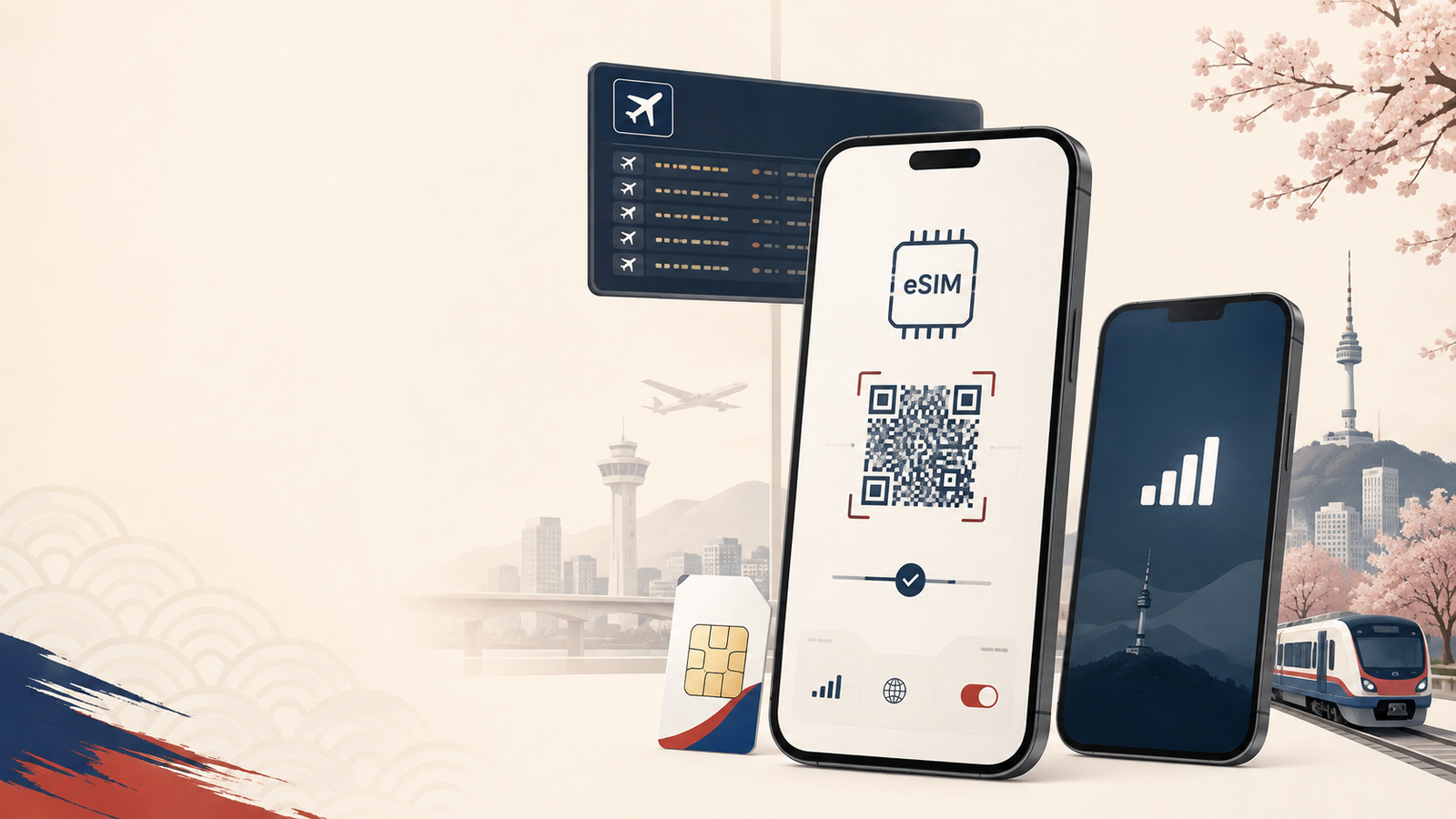
Korea eSIM & SIM Cards for Tourists (2026): Which One Should You Actually Get?
Last updated: August 2026
Buying a SIM for Korea sounds simple until you start comparing the options.
Travel eSIM.
Korean carrier eSIM.
Physical SIM.
Pocket WiFi.
They all get you online, but they do not give you the same thing.
The easiest way to choose is to answer one question first:
Do you just need mobile data, or do you also need Korean calls and SMS?
For most short-term visitors, mobile data is enough.
You can use Naver Map, KakaoTalk, WhatsApp, Google Translate, Papago, Instagram, email, and most travel apps without having a Korean phone number.
If you specifically need Korean calls or SMS, then a local carrier SIM or eSIM starts to make more sense.
In this guide
The short answer
If you just need data
Get an international travel eSIM from a provider such as Airalo, Nomad, or Saily.
This is usually the simplest choice for a typical tourist.
You can buy it online, install it before your flight, and start using mobile data after arriving in Korea.
If you need Korean calls or SMS
Look at a tourist SIM or eSIM from a Korean carrier such as SK Telecom, KT, or LG U+.
Local carrier products may give you functions that international data eSIMs do not, including Korean calls or SMS depending on the plan.
But there is an extra step: Korean tourist telecom products generally involve passport information or verification.
If your phone does not support eSIM
Get a physical prepaid SIM.
You can reserve one in advance and pick it up at an airport counter.
If several people want to share one connection
Consider Pocket WiFi.
It can make sense for a family or group using multiple devices, although it means carrying and charging another device.
eSIM vs SIM vs Pocket WiFi at a glance
| Option | Korean number / SMS | Passport | Best for |
|---|---|---|---|
| International travel eSIM | Usually no | Usually no Korean-carrier registration | Most short-term tourists |
| Korean carrier eSIM | Depends on plan | Yes | Travelers needing calls or SMS |
| Physical tourist SIM | Depends on plan | Yes | Non-eSIM phones |
| Pocket WiFi | No | Rental requirements vary | Groups and multiple devices |
The important point is:
“eSIM” only describes the technology inside your phone. It does not tell you what mobile service you are actually buying.
An international travel eSIM and an LG U+ tourist eSIM may both be called an eSIM, but their purchase process and included services can be very different.
The important difference most Korea SIM guides miss
It is easy to assume:
Data-only eSIM = no passport required
But that is not necessarily true.
A Korean carrier data eSIM can still require your passport
For example, LG U+ sells tourist eSIM products for foreign visitors, including data-oriented plans.
Its official tourist telecom information explains that passport information is required as part of the purchase or activation process for relevant tourist products.
See LG U+ tourist eSIM information
So even if the product is mainly for mobile data, buying it directly from a Korean carrier can still involve passport registration.
The real distinction is therefore not simply:
Data-only = no passport
and
Phone number = passport required
It is better understood like this:
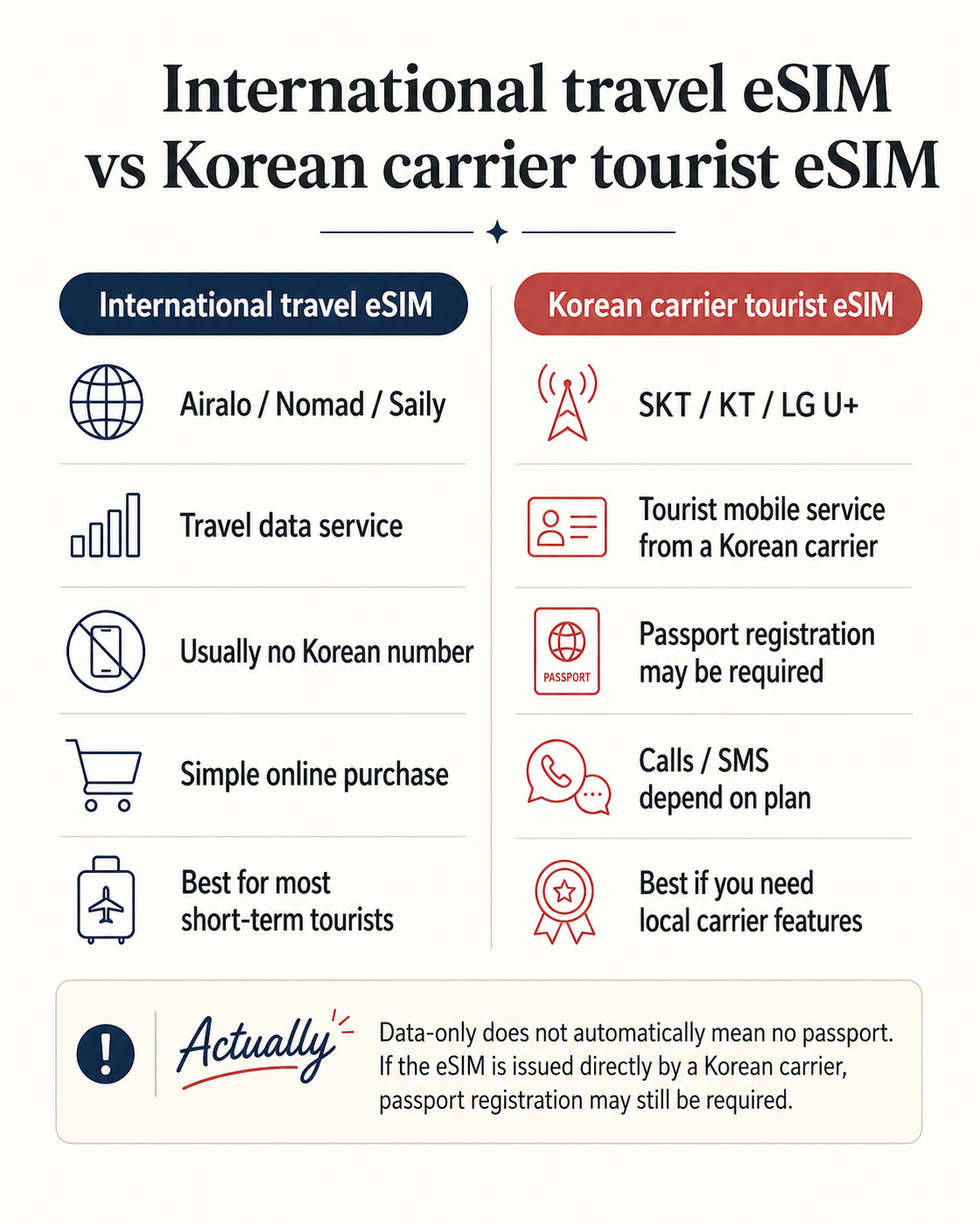
International travel eSIM
You are buying a prepaid travel-data service through an international eSIM provider.
The process is generally designed around quick online purchase and installation rather than opening a tourist mobile line directly with a Korean carrier.
Korean carrier tourist SIM/eSIM
You are buying tourist mobile service directly from a Korean telecom carrier.
That service goes through the carrier’s registration and verification process, which can include passport information even when the product is primarily for data.
ACTUALLY
Data-only does not automatically mean no passport.
If you buy a tourist eSIM directly from a Korean carrier, passport registration may still be required.
This is one reason international travel eSIMs often feel simpler for short trips.
You are not necessarily getting a “better Korean SIM.”
You are buying a different type of travel connectivity product.
Do you actually need a Korean phone number?
For many tourists, the answer is no.
If your trip mainly involves:
- Naver Map
- KakaoTalk
- Google Translate or Papago
- hotel and attraction bookings
- restaurant searches
- web browsing
then mobile data is usually enough.
That is why an international travel eSIM works well for many short trips.
A Korean phone number becomes more useful if you specifically need to:
- receive Korean SMS
- make local calls
- receive calls from Korean businesses
- use a service that requires local text-message verification
A Korean phone number does not mean Korean identity verification
A tourist SIM may give you a Korean number or allow SMS reception.
If you want to understand why a working Korean phone number can still fail identity checks, see our guide to Korean phone number identity verification.
That does not mean it gives you full Korean mobile identity verification.
LG U+ explains that some tourist plans with voice and SMS functions can support SMS verification for services such as restaurant or taxi reservation apps.
However, this does not automatically provide the type of mobile identity verification used for Korean banking or government services.
Data-only service also does not provide SMS verification.
Check LG U+ tourist eSIM features
So these three things are different:
Having a Korean phone number
≠
Receiving an SMS verification code
≠
Passing Korean mobile identity verification
This matters because some travel advice casually says:
“Get a Korean SIM and you can verify Korean apps.”
That is too broad.
Always check what kind of verification the service actually requires.
If you’re staying in Korea long term and have received your Residence Card, the next step is to check how your current mobile line is registered. See our guide to what to do with your Korean phone plan after getting your Residence Card.
Your four main options
Option 1: International travel eSIM
For a typical tourist, this is usually where I would start.
Providers such as Airalo, Nomad, and Saily sell prepaid data plans for Korea online.
Best for
- short trips
- maps and navigation
- messaging
- translation
- social media
- travelers who want internet immediately after landing
Advantages
No airport counter
You can usually arrange everything before departure.
No physical SIM to swap
You do not need to remove your home SIM.
Easy dual-SIM setup
On supported phones, you can leave your home line active for calls or messages while using the Korea eSIM for mobile data.
Simple if you only need internet
If all you need is Naver Map, messaging, translation, and web access, there may be little benefit in going through a Korean carrier registration process.
Disadvantages
Usually no Korean phone number
Most international travel eSIMs are primarily designed for internet access.
If receiving Korean SMS is important, check the exact plan before buying.
Your phone must support eSIM
It also needs to be carrier-unlocked.
Do not purchase first and check compatibility later.
Option 2: Korean carrier eSIM
Korea’s three major mobile carriers also sell tourist telecom products:
- SK Telecom
- KT
- LG U+
This is different from buying an international travel eSIM.
You are purchasing a tourist telecom service directly from a Korean carrier.
Why would you choose one?
The main reason is usually not simply better mobile data.
It is because you want additional local telecom functions such as:
- Korean calls
- SMS
- a local number
- direct carrier support
depending on the plan.
Check current tourist plans directly with the carriers:
The trade-off
The setup generally involves more registration than buying an international travel-data eSIM.
If all you need is mobile internet for a one-week trip, ask yourself whether those extra local-carrier functions are actually useful to you.
Option 3: Physical tourist SIM
A physical SIM is still a perfectly good option.
It may actually be the safer choice if:
- your phone does not support eSIM
- you are unsure about regional eSIM compatibility
- you want staff to help with setup
- you specifically want a Korean carrier tourist plan
Major Korean carriers operate tourist mobile services at major airports including Incheon International Airport.
The main disadvantage is convenience.
After immigration and baggage claim, you may need to find the telecom counter, complete the required verification, receive the SIM, and install it before leaving the airport.
If your phone supports eSIM and you only need data, an international travel eSIM removes most of that process.
Option 4: Pocket WiFi
Pocket WiFi is a small portable router that connects to Korea’s mobile network and creates a private WiFi hotspot.
Several phones, tablets, or laptops can connect to it.
It can make sense if:
- your family is traveling together
- several devices need internet
- some devices do not support eSIM
- the group will usually stay together
The downside
You have another device to:
- carry
- charge
- keep with the group
- return at the end of the trip
If the person carrying the router walks away, everyone else loses the connection.
For one traveler with an eSIM-compatible phone, an eSIM is usually more convenient.
Which one should you choose?
3–7 day trip
Best starting point: International travel eSIM
For a short Korea trip, most mobile use will probably be maps, search, messaging, translation, and social media.
You probably do not need a Korean number.
1–3 week trip
Best for most travelers: International travel eSIM
A Korean carrier option becomes more attractive if you already know you need Korean calls or SMS.
Do not choose one simply because it sounds more “local.”
You need Korean SMS
Consider: Korean carrier Voice/SMS plan
Check the exact product carefully.
Do not assume every Korean tourist eSIM supports:
- outgoing calls
- outgoing SMS
- verification texts
- identity verification
They are separate features.
Your phone does not support eSIM
Choose: Physical tourist SIM
Airport pickup is straightforward and carrier staff can help with activation.
Family or group trip
Consider: Pocket WiFi
It can work well if everyone stays together.
If your group regularly splits up, individual eSIMs are usually more convenient.
Before buying a Korea eSIM, check these 5 things
1. Is your phone carrier-unlocked?
An eSIM-compatible phone can still reject another provider if it is locked to your home carrier.
Check this before paying.
2. Does your exact model support eSIM?
Regional versions can differ.
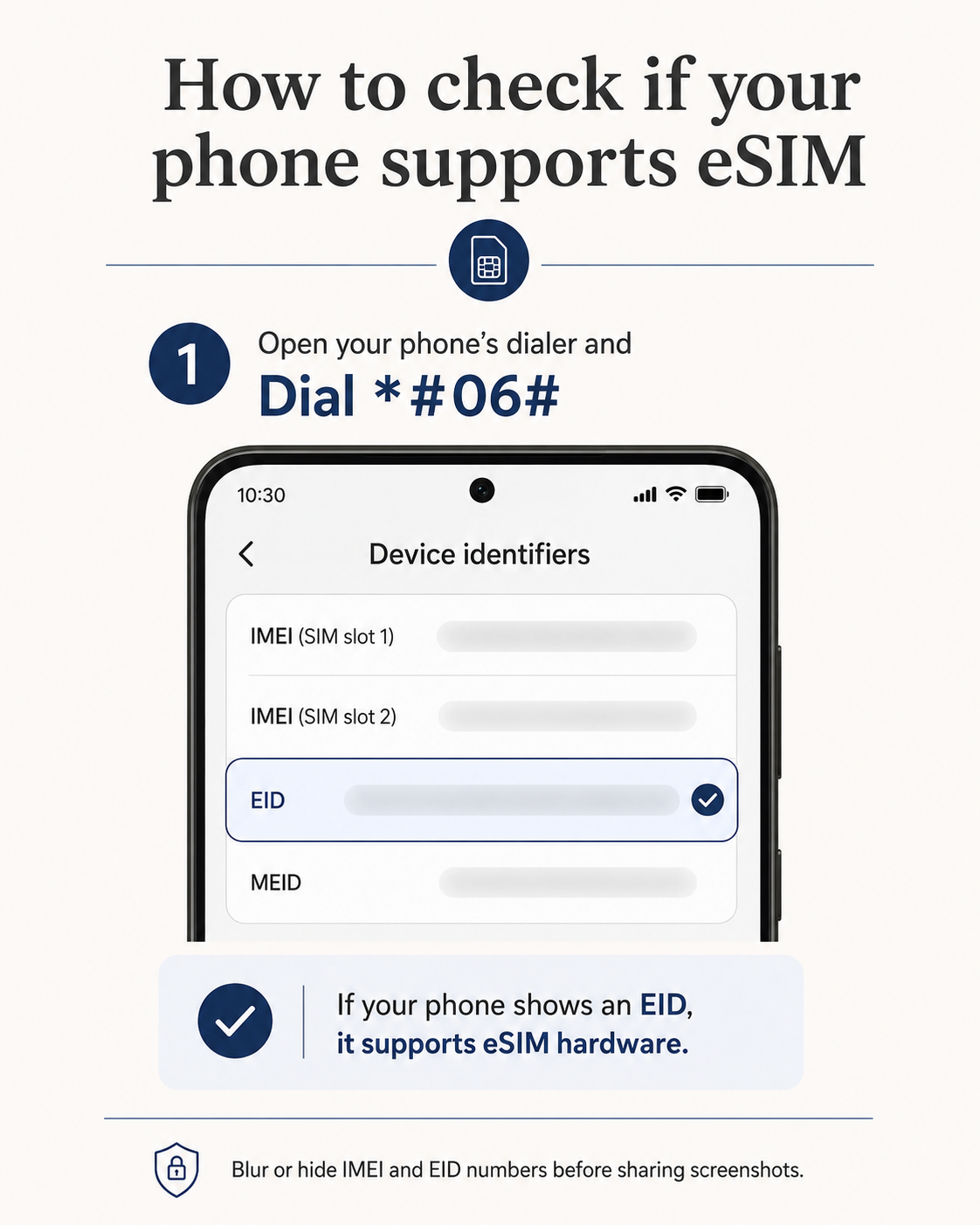
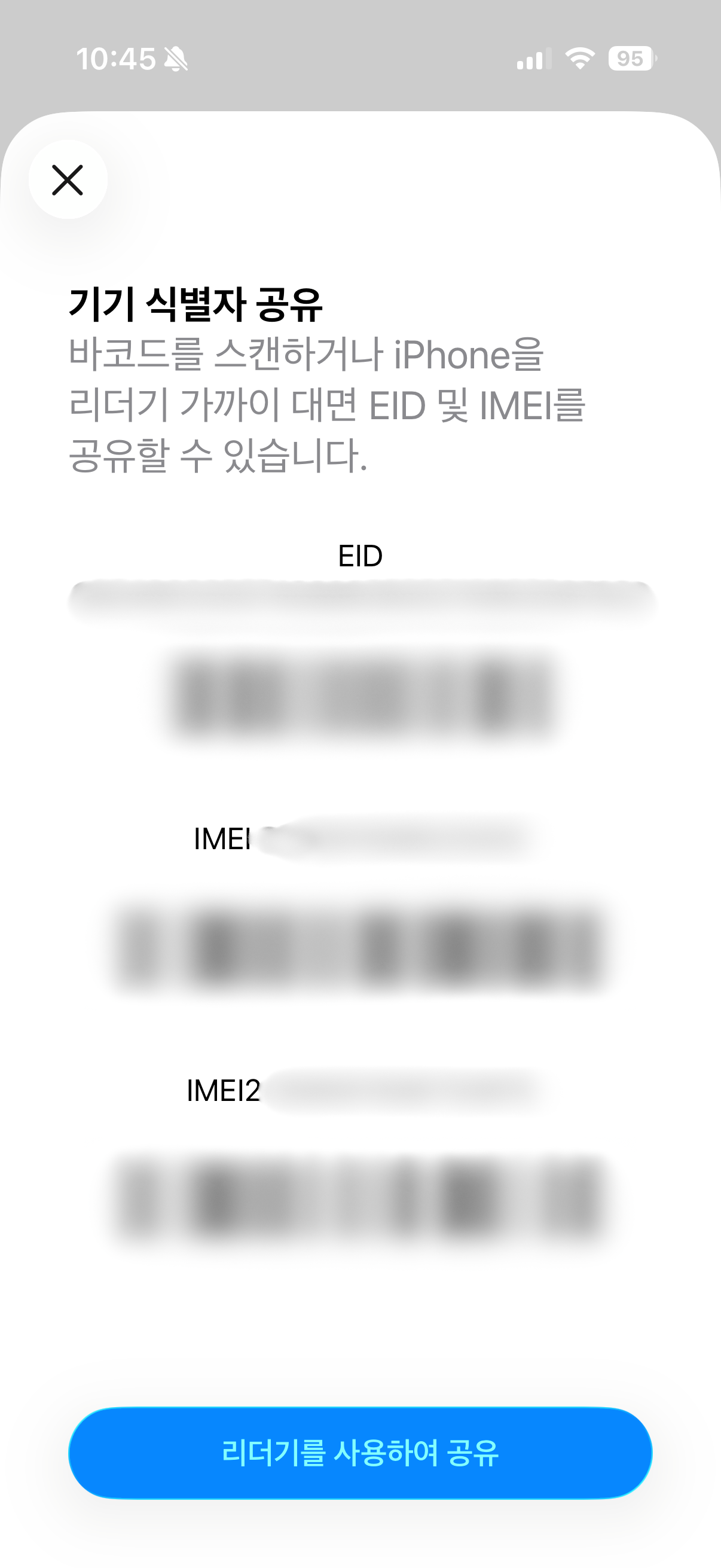
One useful hardware check is:
Dial *#06#
If your phone displays an EID, it has eSIM hardware support.
Carrier compatibility can still vary, so also check the supported-device list of the provider you plan to use.
3. Does the plan include calls or SMS?
Do not just look for the word “eSIM.”
Look specifically for:
- data
- Korean phone number
- incoming calls
- outgoing calls
- incoming SMS
- outgoing SMS
- SMS verification
These are different features.
4. When does the plan start?
Installation and activation are not always the same thing.
Some plans can be installed before your flight but only begin their usage period after first connecting or using data in Korea.
LG U+, for example, explains activation and usage timing for its tourist eSIM products on its official product page.
So generic advice such as:
“Never install your eSIM before flying.”
can be misleading.
Instead, check the activation rule for the specific plan you buy.
5. Is hotspot/tethering allowed?
If you plan to connect a laptop or share your connection with another traveler, check this before purchasing.
Do not assume every provider has the same tethering policy.
How to install an eSIM for Korea
The exact process varies slightly by provider and phone, but generally:
- Buy the eSIM while you have a reliable internet connection.
- Receive the QR code or install it through the provider’s app.
- Add the eSIM profile to your phone.
- Keep your home SIM installed if you want to retain your normal number.
- After arriving in Korea, select the Korea eSIM as your mobile-data line.
- Turn off mobile data roaming on your home SIM if you want to avoid accidental roaming charges.
- Follow your provider’s activation instructions.
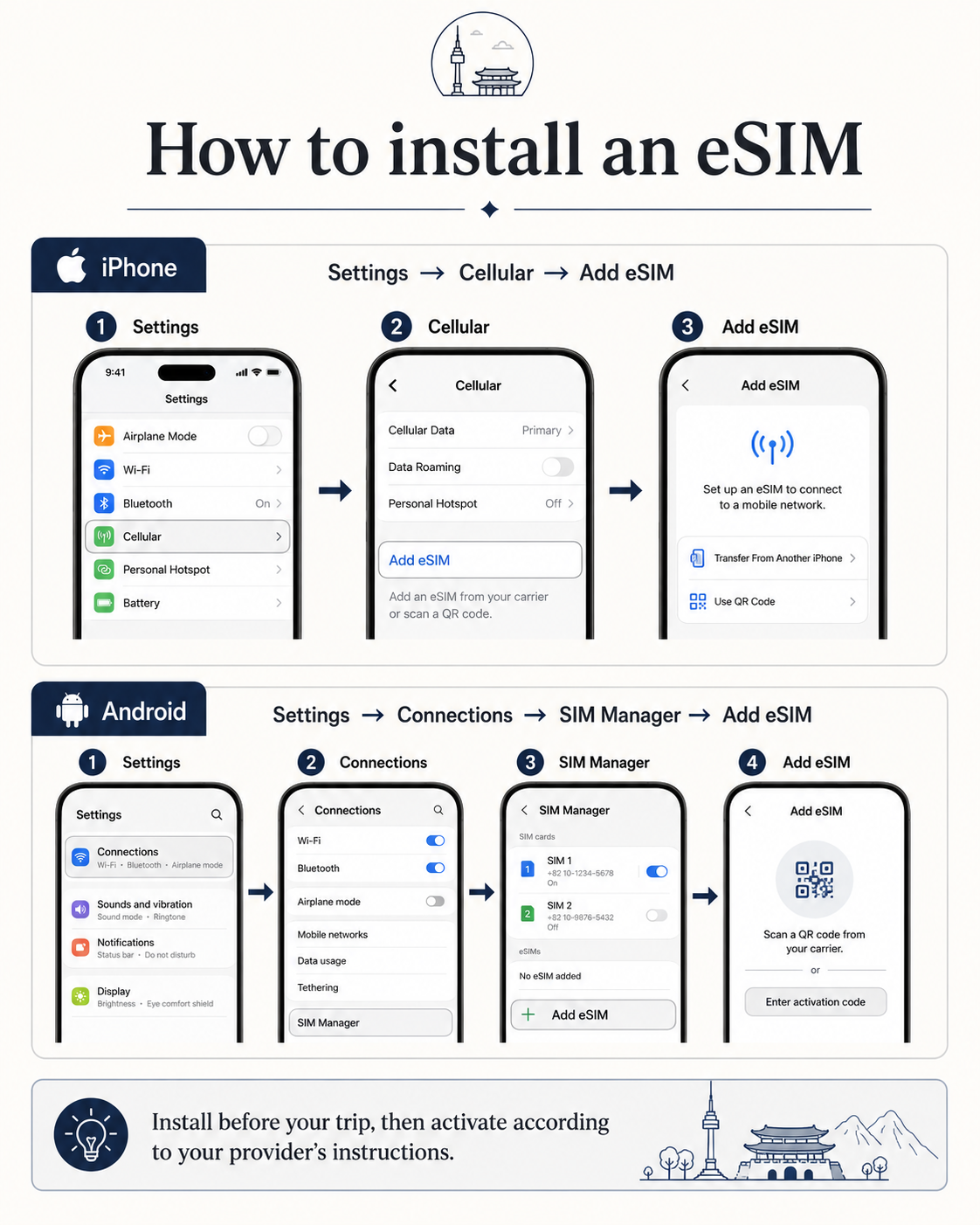
For iPhone, the menu is generally:
Settings → Cellular → Add eSIM
For supported Samsung/Android devices:
Settings → Connections → SIM Manager → Add eSIM
Menus can vary by device model and software version, so follow the provider’s instructions for your exact phone.
Common mistakes tourists make
Assuming all eSIMs are the same
They are not.
An international travel eSIM and an LG U+ tourist eSIM may use the same underlying technology but have very different registration processes and features.
Thinking data-only automatically means no passport
Not necessarily.
A Korean carrier can still require passport information for a tourist data eSIM.
Buying a Korean phone number you do not actually need
If you only use maps, messaging, translation, and international booking apps, a data connection may be enough.
Assuming a Korean tourist number gives full identity verification
It does not.
Some SMS verification may work, but Korean banking or government identity verification is a different system.
Buying before checking whether the phone is unlocked
Always check this first.
Confusing installation with activation
Installing an eSIM profile before departure does not always mean the usage period begins immediately.
Check the activation rule for the specific plan.
K-Actually recommendation
For most tourists, you can make the decision with four questions.
Just need maps, messaging, translation, and internet?
→ Start with an international travel eSIM.
Need Korean calls or SMS?
→ Check a Korean carrier tourist SIM/eSIM.
Your phone does not support eSIM?
→ Get a physical tourist SIM.
Several devices need to share one connection?
→ Consider Pocket WiFi.
The real question is not:
“What is the best eSIM for Korea?”
It is:
“What functions will I actually need while I’m in Korea?”
For most short-term travelers, the answer is simpler than it first appears.
What to set up next
Once you have mobile data, the next things most visitors need are transportation and navigation.